Writely
A minimalist rich-text editor built for focus and effortless writing.
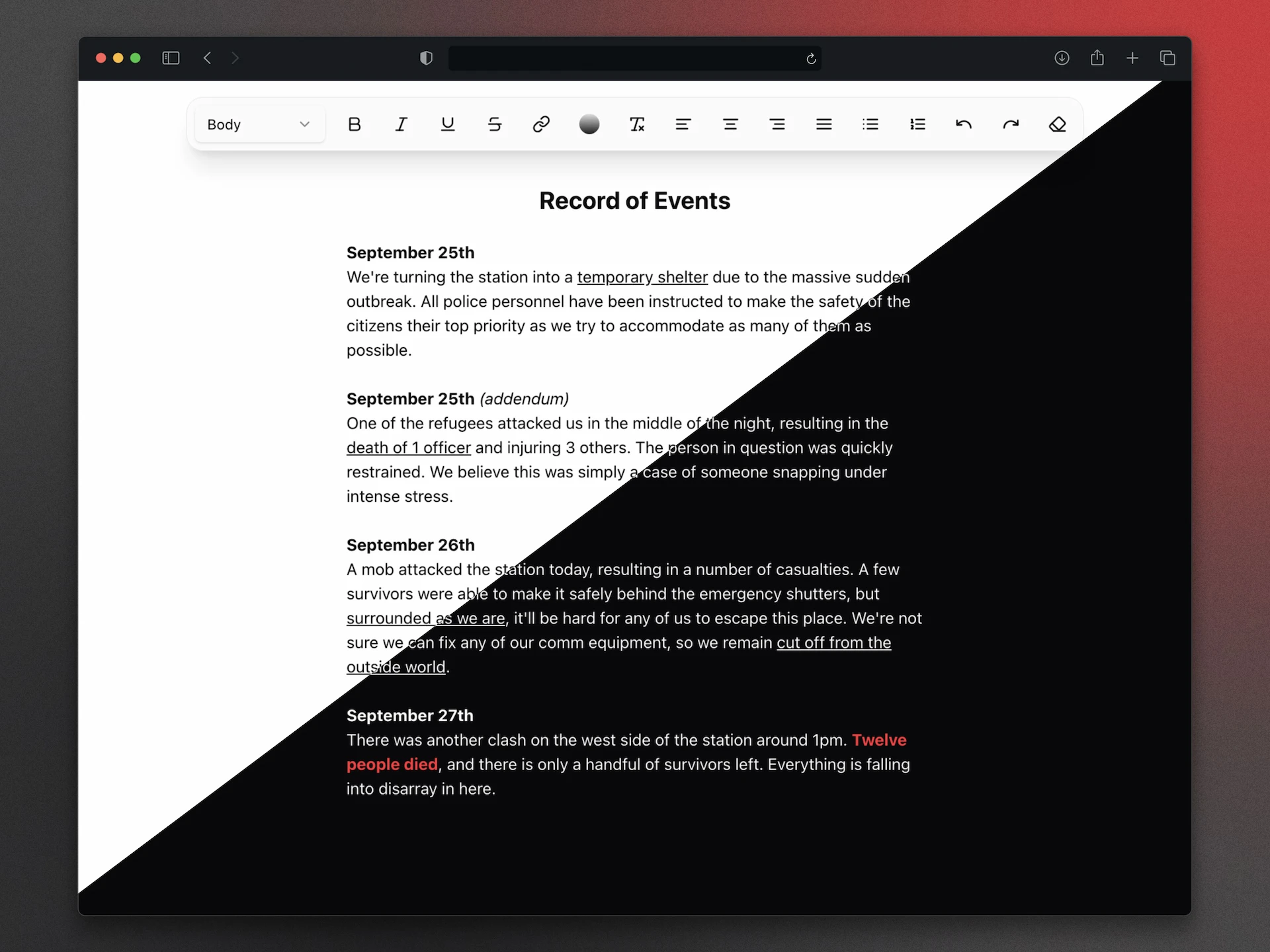
A lightweight, distraction-free WYSIWYG editor built for the web. No formatting drama, no unnecessary bloat.
The Motivation: When "Simple" Notes Aren't Simple
Rich text editors have been around since the dawn of the web, but they are notoriously finicky. Even "premium" options like Apple Notes occasionally fail at the most basic task: maintaining consistent formatting when copying and pasting.
I built Writely because I was tired of fighting with hidden styles and broken layouts. I wanted a space that felt like a clean sheet of paper—one that lived in my browser, gave me exactly the tools I needed, and respected my text's integrity.
The Project
Writely is a modern web-based text editor that prioritizes a "Write First" experience. It’s designed to be a reliable place for drafting content without the overhead of a full word processor or the formatting "surprises" of cloud-based note apps.
Key Features
- Type-Safe Core: Built with TypeScript to ensure document state and formatting commands are handled predictably.
- Smart Clipboard: Engineered to handle copy-pasting gracefully, stripping out junk HTML while preserving the structure you actually want.
- Polished UI: Leverages shadcn/ui and Radix UI primitives for a professional, accessible, and responsive interface.
- Generic yet Effective Design: I’ll be honest—I "borrowed" the toolbar layout from a classic, generic editor design found online. Why reinvent the wheel when the wheel already works perfectly? 🫡
Technical Reflection
Building a reliable text editor is often considered a "dark art" in web development due to the quirks of contentEditable. This project served as a deep dive into:
- DOM Integrity: Managing how text nodes are structured and styled in real-time without losing user focus.
- Component Architecture: Using Radix UI to handle complex elements like dropdowns and tooltips, ensuring the editor remains accessible and performant.
- Developer Experience: Using Vite and SWC for an instantaneous feedback loop during development.
Tech Stack
- React + Vite: For a high-performance frontend foundation.
- TypeScript: To keep the "dark art" of DOM manipulation under control with strict typing.
- Tailwind CSS + shadcn/ui: For a sleek, modern aesthetic using industry-standard UI primitives.
- Lucide React: For those clean, consistent formatting icons.